
Win2PDF Desktop Convert PPTX to PDF 
To convert a PPTX to PDF using Win2PDF Desktop, open a DOCX file using "File -> Open" or drag-and-dropping a XPS file on the Win2PDF Desktop icon. The Win2PDF Desktop converter will show a preview of the PPTX file. To save as a PDF, choose "File -> Export -> PDF".
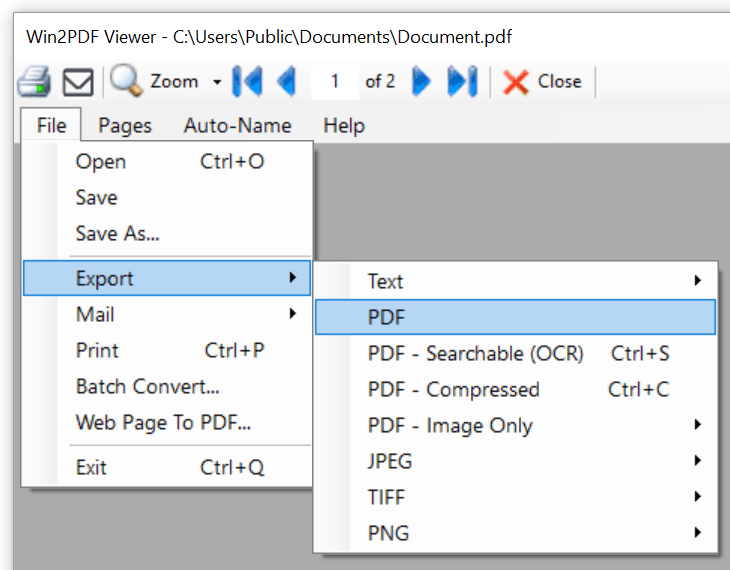
Win2PDF Desktop - Export PPTX to PDF
If you want to convert to PDF in the same folder as the PPTX file, you can also right click on a XPS file in Windows Explorer and choose "Win2PDF -> Convert to PDF".
This feature requires a licensed version of Win2PDF Pro. Contact us for a time limited evaluation license.
You can also convert from DOCX to PDF using the batch convert PPTX to PDF feature or the PPTX2PDF command line.